

Fix misaligned paging in SwiftUI scroll views
When using scrollTargetBehavior(_:) with .paging in a SwiftUI ScrollView, full-width pages can sometimes stop slightly out of alignment. A common cause is the default spacing applied by the HStack or LazyHStack containing the pages.
For example, here each page is sized with containerRelativeFrame(_:alignment:) using .horizontal, and the LazyHStack keeps its default spacing:
ScrollView(.horizontal) {
    LazyHStack {
        ForEach(1...5, id: \.self) { page in
            PageContent(page: page)
                .containerRelativeFrame(.horizontal)
        }
    }
}
.scrollTargetBehavior(.paging)
SwiftUI's paging behavior uses the scroll container's dimensions to determine where each page should stop. However, the default stack spacing introduces gaps between pages, causing successive pages to drift further away from the expected paging positions.
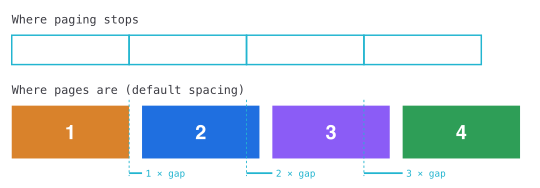
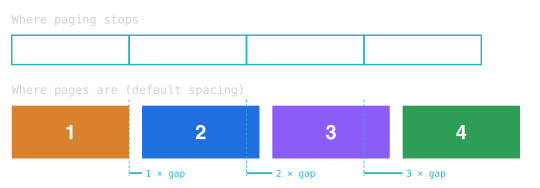
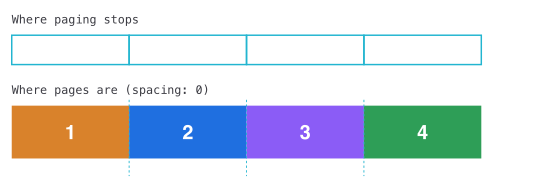
We can resolve the alignment issue by setting the stack spacing to zero:
ScrollView(.horizontal) {
    LazyHStack(spacing: 0) {
        ForEach(1...5, id: \.self) { page in
            PageContent(page: page)
                .containerRelativeFrame(.horizontal)
        }
    }
}
.scrollTargetBehavior(.paging)
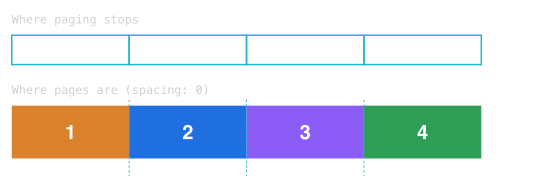
Without the gaps, each page starts exactly where paging stops.
If we still want a visible gap between pages while swiping, we can add horizontal padding inside each page's container-relative frame without affecting paging alignment, by applying it before containerRelativeFrame(_:alignment:).
To help AI coding agents build interfaces that adapt to any window size, device, and text size, try our tool SwiftFairy. Its SwiftUI Layout & Resizability Scroll gives agents on-device review of how views are sized, how layouts adapt, and how scrolling content is structured.
For more resources on Swift and SwiftUI, check out our other books and book bundles.
Our Swift expertise, on call for your agent
On-device Swift and SwiftUI reviews with fix guidance
 Proper SwiftUI
 SwiftUI Layout & Resizability
 Performant Swift Charts
 Modern Swift