

Isolate SwiftUI animations to specific attributes
To apply animations in SwiftUI, we most commonly use either the withAnimation(_:_:) global function or the animation(value:) view modifier. These approaches work well in many cases. However, there are situations where we need more precise control over which attributes participate in the animation. This becomes especially important in reusable components that accept arbitrary child content, where unintended animations can easily occur.
First, let’s look at an example with an accidental animation.
Imagine, that we have a generic PremiumContentCard component that adjusts the opacity of its content based on availability. When premium content is enabled, the view is fully opaque. Otherwise, it becomes slightly transparent to reduce its visual prominence. To animate this change, we might reach for the familiar animation(_:value:) modifier.
struct PremiumContentCard<Content: View>: View {
    let isEnabled: Bool
    @ViewBuilder var content: Content

    var body: some View {
        content
            .padding()
            .background(.indigo.gradient)
            .opacity(isEnabled ? 1 : 0.4)
            .animation(.default, value: isEnabled)
    }
}
However, since our component accepts arbitrary content, we cannot guarantee that only the opacity change will be animated. For example, the content passed into PremiumContentCard may also depend on the same availability state and update its text accordingly.
PremiumContentCard(isEnabled: premiumContentEnabled) {
    VStack(alignment: .leading) {
        Text("Upper Body Workout")
            .font(.headline)
        Text("45 minutes • Intermediate")
            .font(.subheadline)

        if premiumContentEnabled {
            Text("Push ups, pull ups, dumbbell press, shoulder raises.")
        } else {
            Text("Upgrade to access the full workout plan.")
        }
    }
}
In that case, the text change will also be animated.
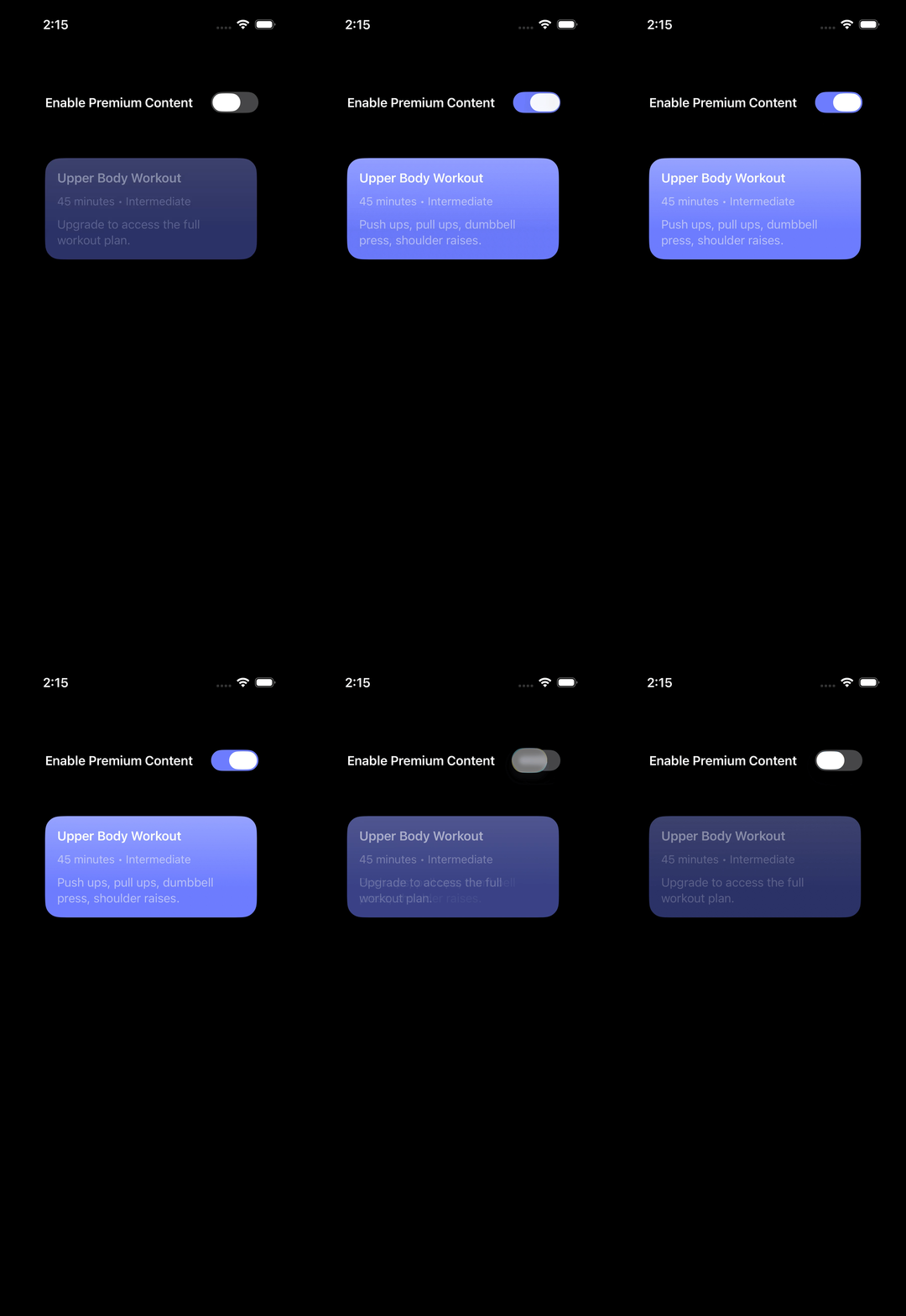
This may or may not be desirable. However, when designing generic container components, it's often better to be explicit about which attributes participate in the animation to avoid unexpected visual glitches. We can achieve this using the newer animation(_:body:) API introduced in iOS 17.
The animation(_:body:) modifier takes an Animation and a ViewBuilder closure. The closure receives a proxy of the modified view, allowing us to specify attributes that should participate in the animation. Anything outside that closure remains unaffected. So we can rewrite PremiumContentCard and apply the opacity modifier inside an isolated animation context.
struct PremiumContentCard<Content: View>: View {
    let isEnabled: Bool
    @ViewBuilder var content: Content

    var body: some View {
        content
            .padding()
            .background(.indigo.gradient)
            .clipShape(RoundedRectangle(cornerRadius: 20))
            .animation(.default) {
                $0.opacity(isEnabled ? 1 : 0.3)
            }
    }
}
Now we can guarantee that only the opacity change is animated, independent of any other changes within the content passed into our component.
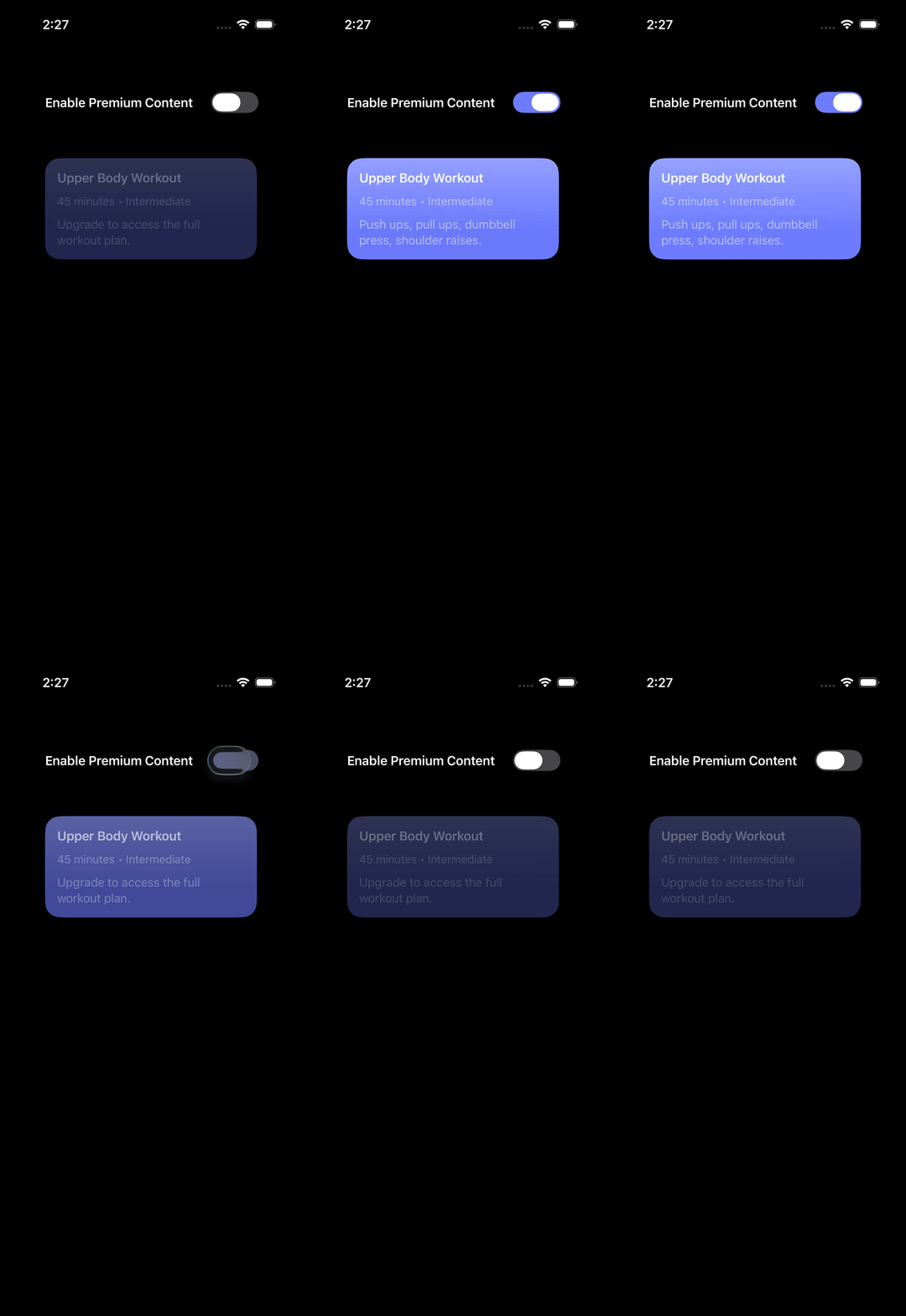
By isolating the animation to specific modifiers, we can make the intent of our components explicit and keep generic container views more predictable.
If you are looking to build a strong foundation in SwiftUI, my book SwiftUI Fundamentals takes a deep dive into the framework's core principles and APIs to help you understand how it works under the hood and how to use it effectively in your projects. And my more recent book The SwiftUI Way helps you adopt recommended patterns, avoid common pitfalls, and use SwiftUI's native tools appropriately to work with the framework rather than against it.
For more resources on Swift and SwiftUI, check out my other books and book bundles.
Work with SwiftUI. Not against it.$35
A field guide to SwiftUI patterns and anti-patterns
The SwiftUI Way
- Avoid common SwiftUI pitfalls
- Build deeper intuition for the framework
- Gain insights from a former SwiftUI Engineer at Apple
Work with SwiftUI. Not against it.
A field guide to SwiftUI patterns and anti-patterns
The SwiftUI Way