

Show a popover on iPhone in SwiftUI
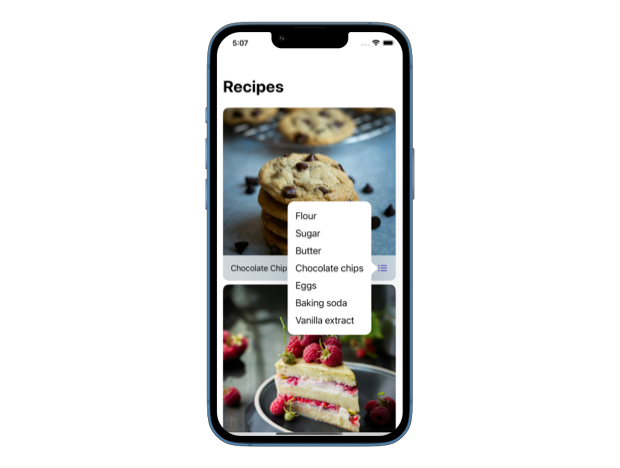
In SwiftUI, we can use the popover() modifier to present a popover when a given condition is true. By default, it shows a popover on iPad in a regular horizontal size class but turns into a sheet on iPhone.
Starting with iOS 16.4, we can use the presentationCompactAdaptation(_:) modifier to tell SwiftUI that we prefer popover presentation even in compact size classes. This modifier is applied to the view inside the popover's content.
Here’s an example of how we can show a popover for a list of ingredients in a recipe app when the user clicks on the list button:
IngredientsListButton(
    showIngredients: $showIngredients
)
.popover(isPresented: $showIngredients) {
    IngredientsList(
        ingredients: recipe.ingredients
    )
    .presentationCompactAdaptation(.popover)
}
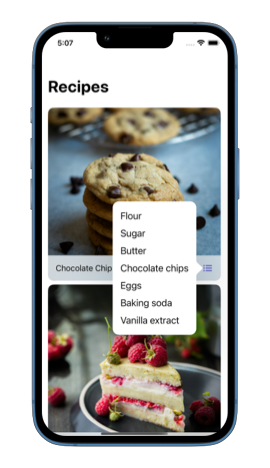
Since we indicated that we prefer a popover for compact adaptation, SwiftUI will show a popover instead of a sheet, even on a phone.
If you are looking to build a strong foundation in SwiftUI, my book SwiftUI Fundamentals takes a deep dive into the framework's core principles and APIs to help you understand how it works under the hood and how to use it effectively in your projects. And my more recent book The SwiftUI Way helps you adopt recommended patterns, avoid common pitfalls, and use SwiftUI's native tools appropriately to work with the framework rather than against it.
For more resources on Swift and SwiftUI, check out my other books and book bundles.
Work with SwiftUI. Not against it.$35
A field guide to SwiftUI patterns and anti-patterns
The SwiftUI Way
- Avoid common SwiftUI pitfalls
- Build deeper intuition for the framework
- Gain insights from a former SwiftUI Engineer at Apple
Work with SwiftUI. Not against it.
A field guide to SwiftUI patterns and anti-patterns
The SwiftUI Way