

Geometry, compositing and drawing groups in SwiftUI
SwiftUI provides three modifiers with very similar names that group views for different purposes. The geometryGroup() modifier isolates a view's geometry from its parent. The compositingGroup() modifier wraps a view in a compositing group, so compositing effects from outside the group, such as opacity and blend modes, operate at that boundary. The drawingGroup(opaque:colorMode:) modifier flattens supported content into an offscreen image before display. Understanding which part of the rendering process is being grouped helps us choose the right modifier for each situation.
# Geometry group
When a container moves or changes size, we usually expect its contents to animate with it as one unit. SwiftUI can instead pass the geometry change through the container and apply the animation to the individual leaf views that draw its contents. In most cases the result looks the same, but the difference can become visible when the container's contents also change during the animation.
In the example below, the delivery status moves from the leading to the trailing side of its container. As it moves, the text updates from "Out for delivery" to "Delivered" and the label changes color.
struct ContentView: View {
    @State private var isDelivered = false

    var body: some View {
        VStack {
            DeliveryStatusLabel(isDelivered: isDelivered)
                .frame(
                    maxWidth: .infinity,
                    alignment: isDelivered ? .trailing : .leading
                )

            Button("Update status") {
                withAnimation(.easeInOut(duration: 2.2)) {
                    isDelivered.toggle()
                }
            }
        }
        .padding()
    }
}

struct DeliveryStatusLabel: View {
    let isDelivered: Bool

    private var color: Color {
        isDelivered ? .green : .blue
    }

    var body: some View {
        Text(isDelivered ? "Delivered" : "Out for delivery")
            .foregroundStyle(color)
            .padding()
            .background(color.opacity(0.15), in: .capsule)
    }
}
By default, SwiftUI passes the alignment change down through the label, and its leaf views resolve the animation separately. In the recording, the capsule background moves and resizes independently, while the new "Delivered" content appears near its destination and the old text lingers on the left. Instead of reading as one label moving and changing, the pill temporarily looks as though it has come apart.

Applying geometryGroup() after the capsule background establishes a geometry boundary around the complete pill.
DeliveryStatusLabel(isDelivered: isDelivered)
    .geometryGroup()
SwiftUI now resolves and animates the position and size of the label before passing that geometry to the views inside it. The capsule and its text move toward the trailing edge together, while the text changes from "Out for delivery" to "Delivered".

By resolving the animation at the label boundary, a geometry group keeps the visual parts of the pill synchronized while its ancestor moves it and its contents change.
More generally, geometryGroup() is useful when an ancestor animates a view's position or size and its descendants need to remain locked together, particularly when those descendants change during the animation. It is unnecessary when SwiftUI's default leaf-level animation already produces the intended result.
# Compositing group
When we apply a graphical effect to a container, SwiftUI can pass the effect down to the views inside it. This matters when those views overlap, because applying an effect to each view separately can produce a different result from applying it once to their combined output.
Consider a row of overlapping collaborator avatars that becomes translucent when sharing is paused. The opacity modifier is attached to the HStack, but without an explicit compositing boundary, SwiftUI applies the opacity to each avatar before combining them. The avatars underneath become visible through the ones above them, changing the appearance of the overlapping areas.
struct CollaboratorAvatars: View {
    let isPaused: Bool

    var body: some View {
        HStack(spacing: -16) {
            Avatar(initials: "LM", color: .indigo)
            Avatar(initials: "AK", color: .pink)
            Avatar(initials: "SR", color: .teal)
        }
        .opacity(isPaused ? 0.3 : 1)
    }
}

private struct Avatar: View {
    let initials: String
    let color: Color

    var body: some View {
        Text(initials)
            .font(.title.bold())
            .foregroundStyle(.white)
            .padding()
            .background(color, in: .circle)
    }
}
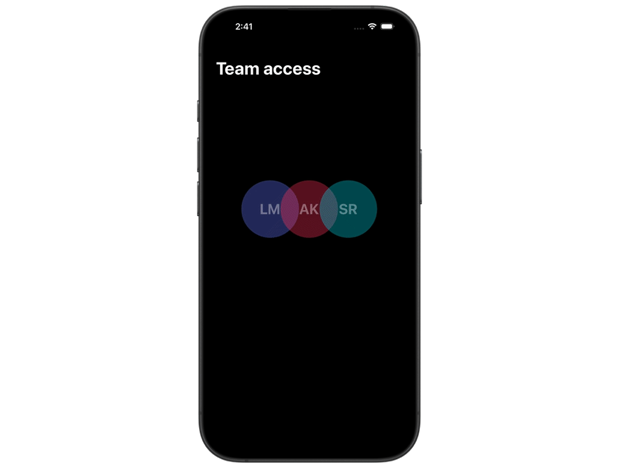
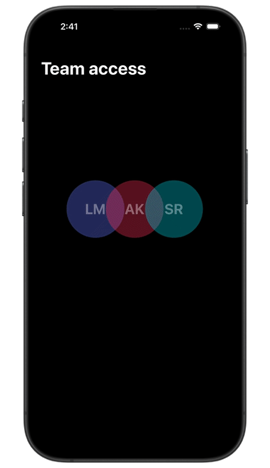
To keep the overlapping areas unchanged as the row fades, we can apply compositingGroup() before the opacity modifier.
HStack(spacing: -16) {
    // overlapping avatars
}
.compositingGroup()
.opacity(isPaused ? 0.3 : 1)
SwiftUI now composites the opaque avatars first and applies opacity to the result. Each avatar continues to cover the part of the avatar behind it, while the complete row fades uniformly.
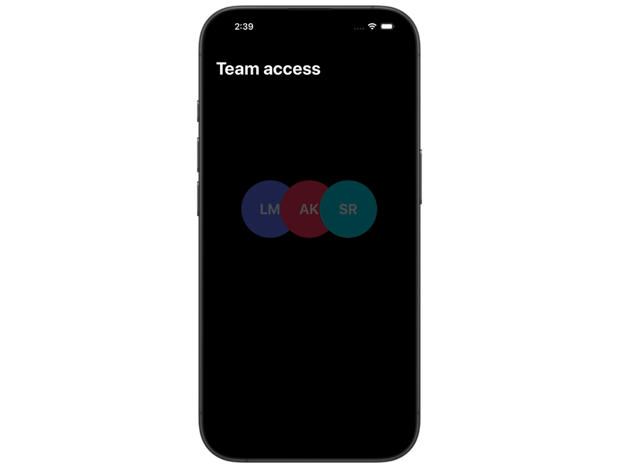
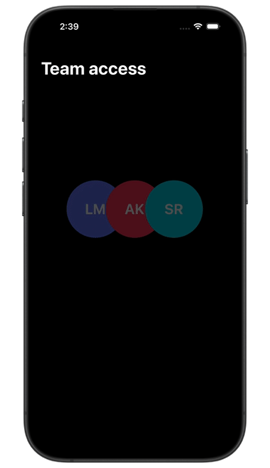
The order of the modifiers defines which effects are inside and outside the boundary. A compositing group is useful when effects such as opacity and blend modes should treat a hierarchy as one graphical result, or when we need to separate a sequence of graphical effects into distinct stages.
# Drawing group
The drawingGroup(opaque:colorMode:) modifier renders a view and its supported descendants into an offscreen image, which SwiftUI then uses when compositing the view. This is the important difference from compositingGroup(): a compositing group establishes a boundary for graphical effects, while a drawing group produces a rasterized result.
Rendering the hierarchy into a single image can be useful when a graphic combines many drawing operations and effects. If profiling shows that processing those operations repeatedly is expensive, a drawing group allows subsequent rendering to work with the resulting image instead.
The following photo preview places a sharp image over a blurred copy that fills the available area.
struct PhotoPreview: View {
    var body: some View {
        Color.clear
            .overlay {
                Image("BlueMarble")
                    .resizable()
                    .scaledToFill()
                    .blur(radius: 16)
            }
            .overlay {
                Image("BlueMarble")
                    .resizable()
                    .scaledToFit()
                    .clipShape(.rect(cornerRadius: 8))
                    .padding()
            }
            .aspectRatio(1, contentMode: .fit)
            .clipShape(.rect(cornerRadius: 20))
    }
}
Applying drawingGroup() to PhotoPreview tells SwiftUI to render the two images, the blur and the clipping into a single offscreen image.
PhotoPreview()
    .drawingGroup()
The preview should retain the same appearance. The difference is that the surrounding interface receives one rasterized image instead of the individual drawing operations that produced it.
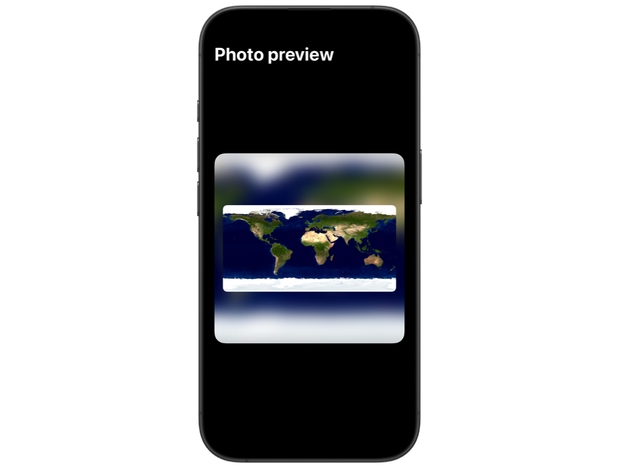
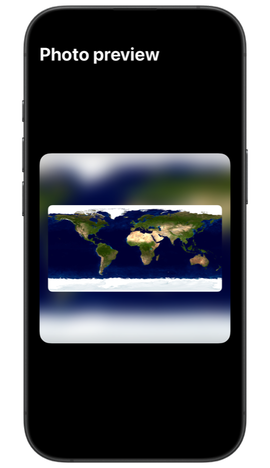
Creating and storing the offscreen image has its own cost, and SwiftUI has to update it whenever the content changes. A drawing group is not a general-purpose performance modifier, and the presence of blur or another graphical effect does not mean that one is required. It is most appropriate for graphics composed from many drawing primitives when measurements show that flattening them improves the specific interface.
Only content that SwiftUI can rasterize with its own drawing primitives appears in the result. This includes text, images, shapes and compositions made from them. Views whose contents come from Core Animation layers, such as more complex controls and containers, web views, media players and most UIKit or AppKit views, are not rendered into the image, and SwiftUI displays a placeholder instead. A drawing group is suitable for graphical content, not arbitrary interface hierarchies.
Although their names are easy to confuse, these modifiers are not variations of the same tool. Each intervenes at a different point in how SwiftUI animates and renders a view hierarchy. Understanding that distinction explains why one modifier can correct a result while the others have no effect, and helps us choose among them deliberately.
If you are looking to build a strong foundation in SwiftUI, my book SwiftUI Fundamentals takes a deep dive into the framework's core principles and APIs to help you understand how it works under the hood and how to use it effectively in your projects. And my more recent book The SwiftUI Way helps you adopt recommended patterns, avoid common pitfalls, and use SwiftUI's native tools appropriately to work with the framework rather than against it.
For more resources on Swift and SwiftUI, check out my other books and book bundles.


Work with SwiftUI. Not against it.$35
A field guide to SwiftUI patterns and anti-patterns
The SwiftUI Way
- Avoid common SwiftUI pitfalls
- Build deeper intuition for the framework
- Gain insights from a former SwiftUI Engineer at Apple
Work with SwiftUI. Not against it.
A field guide to SwiftUI patterns and anti-patterns
The SwiftUI Way